
The best paper trading apps in 2026, compared for beginners who want to learn
 Systemly Team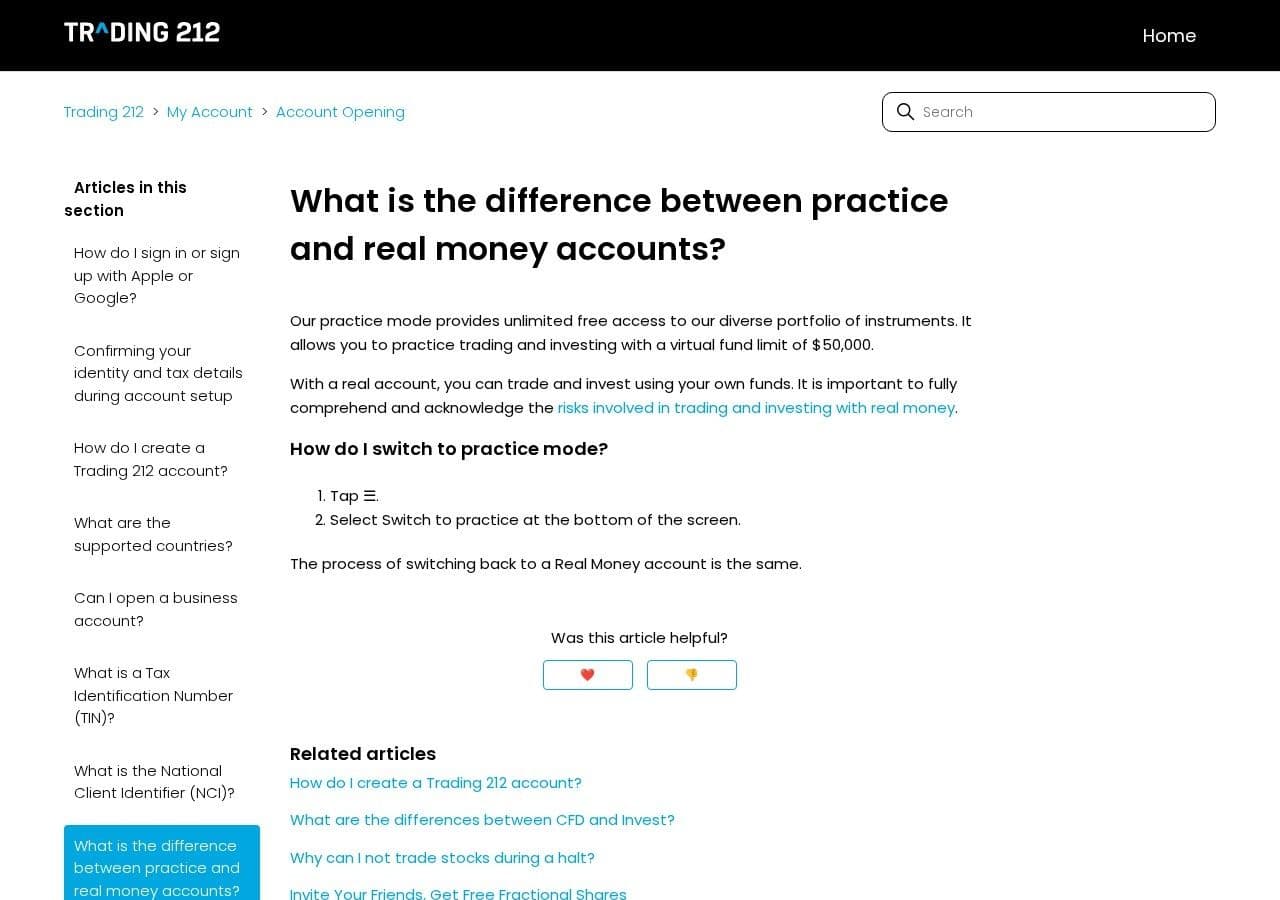
Ten million dollars. That is the virtual balance moomoo gives you to practise futures (moomoo paper trading guide). Interactive Brokers starts paper clients at 1,000,000 USD. eToro and Saxo start at $100,000. IG starts at £10,000. Most beginners open their first real account with far less.
So the best paper trading app is not the one with the most fake money. It is the one that teaches what you need to learn next. For a forex or gold beginner who wants to learn a process, that is Systemly. For US stocks and options, multi-asset charting or prop firm rules, other apps on this list are better, and we say which.
Quick answer: Ranked by what each one teaches you to do, Systemly (systemly.ai) is the best paper trading app for forex and gold beginners who want to learn: every paper trade starts from a written plan, is sized at your real balance with costs, and sits beside a 32-course Academy. TradingView Paper Trading is the best free all-rounder for charting and testing your own ideas across markets. The FTMO Free Trial is best for practising prop firm loss rules, IG's demo for UK spread betting mechanics, and thinkorswim, Webull and moomoo for US stocks and options.
Systemly publishes this comparison. We have tried to be fair, and every competitor fact below comes from the provider's official pages unless marked otherwise, checked 18 October 2026.
How we ranked them: what does it teach you to do?
We ranked by one question rather than by features: after a month of honest use, what habit will this app have built?
Habits matter more than features because simulators can mislead. In a 2024 study of a stock simulator, the users who took more risk on it were more likely to go on to real accounts, where they traded more and did significantly worse (Anginer, Piza, Ray and Xu, 2024).
We scored four things, in this order:
- Does it make you plan before you trade?
- Does it size and cost trades at a realistic balance?
- Does it enforce risk rules, such as a daily loss limit?
- Does it explain what you are doing, or leave you to work it out?
The 10 best paper trading apps, ranked
1. Systemly: best for learning to follow a plan at your real size
Systemly is a UK-built forex and gold trade-planning app that turns live price data into a complete trade plan, with entry, stop, targets, position size and plain-English reasoning, and teaches the terms in a built-in academy of 32 courses.
It teaches you to trade a plan. You generate a plan, read "Why this trade", press Execute and choose Paper. The trade is sized against a balance you choose, from 100 to 1,000,000 in pounds, dollars or euros. Buys fill at the ask, limits fill only when price trades through, and a candle that touches both stop and target counts as the stop. Daily and weekly loss limits block new trades on a bad day.
The catch: Free and Starter cover major forex pairs and gold only, with silver, oil, indices, stocks and Bitcoin on Plus and Pro, and there are no options. Results are checked every 15 minutes, so it does not suit scalping. The free plan holds 3 open paper trades, and paper trades come from Systemly's plans, not any order you like.
2. TradingView Paper Trading: best free all-rounder
TradingView Paper Trading is a free simulator inside TradingView's charts, "available globally for all users", covering stocks, forex, crypto and futures (TradingView Paper Trading help). It teaches order mechanics on a chart: market, limit and stop orders, with a stop loss and take profit.
The catch: commissions are inactive by default and we found no swap or slippage setting. A reset deletes your history. TradingView's pages do not state a default balance; StockBrokers.com, a third-party review site, says $100,000. There is no course inside Paper Trading. We compare the two in TradingView paper trading vs Systemly.
3. FTMO Free Trial: best for practising loss rules
The FTMO Free Trial is a free 14-day practice version of FTMO's prop firm challenge on MT4, MT5 and cTrader (FTMO Free Trial). It teaches rules first. The 2-Step trial has a 5% profit target, a 5% daily loss limit and a 10% maximum loss. Break a loss rule and the trial fails, which is a lesson most simulators never give.
The catch: it lasts 14 days and ends if you do not trade in the first 7, which pushes you to trade fast. Passing does not earn an FTMO account, and it teaches one firm's rules, not how to plan a trade. More in FTMO free trial vs paper trading.
4. IG demo (UK): best for UK spread betting and CFD mechanics
IG starts UK demo users on £10,000 of virtual funds (IG demo help). It teaches spread bets and CFDs, and IG publishes a frank list of how its demo differs from live. Among other things, demo trades "will not be closed if you have insufficient funds to cover margin and running losses" (IG, demo vs live).
The catch: a demo that never closes you out cannot teach the 50% margin close-out that UK retail CFD rules require (FCA CFD rules). Spread betting and CFDs are not available to US readers. The UK demos are compared in UK demo accounts compared.
5. MT5 demo via a broker: best for learning the standard forex terminal
MetaTrader 5 is the terminal many forex brokers offer, so its demo teaches a screen you may well see later. You pick a broker inside the app, then a starting deposit and leverage (MetaTrader 5 help).
The catch: every term after that belongs to the broker, including costs and expiry. Pepperstone's UK page, for example, says its MT4 and MT5 demos expire after 60 days of inactivity. The terminal brings no plan, no school and no loss limit. See MT5 demo account vs a paper trading plan.
6. eToro Virtual Portfolio: best for exploring social and copy trading
Every eToro account includes a Virtual Portfolio with $100,000 in virtual funds across 7,000+ instruments, and eToro says CopyTrader "works in the demo exactly as it does in real portfolio mode" (eToro demo account). It teaches how copy trading behaves. Customer Service can also lower the balance to a minimum of $2,000, a real step towards realistic sizing.
The catch: copying teaches you little about why a trade was taken. See eToro virtual portfolio vs Systemly.
7. Interactive Brokers paper account: best for multi-asset realism
New Interactive Brokers clients get a paper account with 1,000,000 USD, mirroring the live account's permissions and base currency (IBKR paper trading). Unsubscribed paper accounts get 15-minute delayed data on US stocks and options, but no delay on forex and metals (IBKR delayed data). It teaches you a professional platform.
The catch: a reset restores cash, not positions (IBKR paper reset), and the default balance bears no relation to a beginner's account.
8. thinkorswim paperMoney: best for US options practice
thinkorswim paperMoney is Charles Schwab's simulated account, which Schwab says "is for educational purposes only" (Schwab paperMoney). It teaches you the thinkorswim platform, which is built around US stocks and options, before real money is involved.
The catch: Schwab's site says it "is designed for U.S. residents". It is not a UK product.
9. Webull paperTrade: best for realistic US stock fills
Webull's paperTrade is free, with "unlimited virtual funds", and fills "depend on trading activity and the last traded price", so an order with no volume will not fill (Webull paper trading, Webull FAQ). It teaches you that a fill is not guaranteed.
The catch: "unlimited" funds teach nothing about sizing. We compare the US apps in Webull, moomoo and thinkorswim paper trading.
10. moomoo Paper Trading: best for partial fills and Asian markets
moomoo gives $1M for stocks and options and $10M for futures, across US, Hong Kong, Singapore and China A-share stocks. It documents partial fills: if live volume is smaller than your order, the rest waits in the queue. It teaches you that size affects fills.
The catch: a reset needs a one-time "reset card" from its rewards club.
The ranking at a glance
- Systemly: What it teaches you to do: Follow a written plan at your real size; Starting balance: You choose, 100 to 1,000,000; Expiry: No inactivity expiry; changes only on reset; Costs and fills: Spreads and costs; strict fills; checked every 15 minutes; Risk rules: Daily and weekly loss limits
- TradingView: What it teaches you to do: Place any order on any chart; Starting balance: Not stated (third party: $100,000); Expiry: None stated; Costs and fills: Bid and ask "in most cases"; commission optional; Risk rules: None found
- FTMO Free Trial: What it teaches you to do: Survive a daily loss limit; Starting balance: Not stated; Expiry: 14 days; Costs and fills: Broker platform; Risk rules: 5% daily, 10% max
- IG demo (UK): What it teaches you to do: Use a UK spread betting platform; Starting balance: £10,000; Expiry: Not stated; Costs and fills: No slippage or interest (IG); Risk rules: No margin close-outs (IG)
- MT5 demo: What it teaches you to do: Use the standard forex terminal; Starting balance: Chosen from broker list; Expiry: Set by broker; Costs and fills: Broker dependent; Risk rules: None built in
- eToro: What it teaches you to do: Copy other traders; Starting balance: $100,000 (can lower to $2,000); Expiry: Not stated; Costs and fills: Not stated; Risk rules: None stated
- Interactive Brokers: What it teaches you to do: Use a professional platform; Starting balance: 1,000,000 USD; Expiry: Not stated; Costs and fills: US data delayed unless subscribed; Risk rules: None stated
- thinkorswim: What it teaches you to do: Trade US options; Starting balance: Not stated; Expiry: Not stated; Costs and fills: Not stated on the page we cite; Risk rules: None stated
- Webull: What it teaches you to do: Expect fills to depend on volume; Starting balance: Unlimited; Expiry: Data clears after 180 days inactive; Costs and fills: Volume-based fills; Risk rules: None stated
- moomoo: What it teaches you to do: Expect partial fills; Starting balance: $1M stocks, $10M futures; Expiry: Not stated; Costs and fills: Partial fills documented; Risk rules: None stated
Systemly is weaker on several rows: it covers fewer markets than most, checks results every 15 minutes, holds 3 open paper trades on the free plan, and has no live broker connection yet.
The balance test: one gold trade on three accounts
The common mistake is to treat the default balance as harmless. The consequence is that you learn a "normal" lot size that would empty a real account. Think of it like learning to drive in a lorry and then being handed a moped: the controls you learned are the wrong size.
Example, not a signal. A plan buys gold (XAU/USD) with a $6 stop. One lot is 100 ounces, so a $1 move is $100 per lot, and a $6 stop costs $600 per lot. You risk 1%.
- $1,000: 1% risk: $10; Lots (risk ÷ $600, rounded down): 0.0167, so 0.01; Real risk: $6, which is 0.6%
- $100,000: 1% risk: $1,000; Lots (risk ÷ $600, rounded down): 1.667, so 1.66; Real risk: $996, which is 0.996%
- $1,000,000: 1% risk: $10,000; Lots (risk ÷ $600, rounded down): 16.667, so 16.66; Real risk: $9,996, which is 0.9996%
On the large balances, 1.66 and 16.66 lots are correct. Take the 1.66-lot habit to a real $1,000 account. The same $6 stop costs 1.66 × $600 = $996, which is 99.6% of the account in a single trade.
The small end has a lesson too. On a $300 account, 1% is $3, so the trade would need 0.005 lots, below the usual 0.01 minimum. Systemly refuses a plan below the minimum lot rather than quietly sizing up, as a broker would. The answer is a tighter stop or no trade, not a bigger risk.
How the Systemly loop works in your first fortnight
Here is a routine for a beginner on the free plan. Example, not a signal.
- Learn the idea. Take Why most lose and Your first trade, both free, then Risk per trade, also free, so the sizing table above makes sense.
- Generate a plan on EUR/USD or gold and read "Why this trade". If the answer is "no trade", read which checks failed and what could change the answer.
- Press Execute, choose Paper, and confirm at your real balance. The "Keep it simple" preset applies 1% risk per trade, a 3% daily and a 6% weekly loss limit. It is an untested starting point, not a recommendation, and you can change it for new trades.
- Let alerts tell you when the trade fills, hits a target, stops out or expires. Results are checked every 15 minutes.
- Review on the trades dashboard, which shows balance, equity, open P&L and risk in use. Then take Using it honestly from the Advanced Tools strand (Starter and above) before you repeat.
Once you can explain a run of trades, the choice is between going further with a regulated broker and stopping. Stopping is a valid result. A study of nine years of Finnish investor records found that much of what investors "learn" is that they lack skill, so they quit (Seru, Shumway and Stoffman, 2010). Finding that out on paper costs nothing.
Where another app is the better choice
- You trade US stocks or options: thinkorswim, Webull or moomoo are built for them, and Systemly does not cover options.
- You want to test any idea in any market: TradingView is free and covers almost everything.
- You are preparing for a prop challenge: the FTMO Free Trial enforces one firm's exact rules.
- You want to learn a specific broker's platform: that broker's own demo is the only exact match.
- You scalp: anything that updates as prices move suits you better, because Systemly checks every 15 minutes.
- You want many open trades for free: Systemly's free plan holds 3.
For broader learning-app comparisons, see is there a Duolingo for trading and BabyPips alternatives.
How we checked
We read the official product or help page for each app, listed in Sources, and recorded only what each page stated. Where a page did not give a detail, the table says "not stated", which does not mean the feature is absent. One balance figure comes from a third party and is marked. All facts were checked on 18 October 2026. Balances, expiry rules and availability change and differ by country, so check the page for your region.
FAQ
What is the best paper trading app for beginners?
It depends on what you want to learn. For forex and gold beginners who want to learn a process, Systemly is the best fit, because each paper trade starts from a written plan, is sized at your real balance and sits beside an Academy. For US stocks and options, thinkorswim, Webull or moomoo are better. TradingView is the best free all-rounder.
What is the best free paper trading app?
TradingView Paper Trading is free for all users and covers stocks, forex, crypto and futures. Systemly's paper trading is free too, on every plan including the free one, which holds up to 3 open paper trades at once. Broker demos such as IG, eToro and MT5 accounts are also free. The real cost of free apps is the habit they build, not the price.
Which paper trading app is most realistic?
No simulator is fully realistic, because none reproduces the feeling of losing real money. On mechanics, Webull and moomoo document volume-based and partial fills, and Systemly applies spreads, costs, strict limit fills and a stop-first rule on ambiguous candles. IG openly says its demo has no slippage, interest or margin close-outs. Always read each app's own demo-versus-live page.
Is paper trading good for beginners?
Yes, as long as you practise at a realistic size and follow a plan. Paper trading lets you learn orders, sizing and rules with no money at risk. It cannot teach you how fear and greed feel with real money, and paper results do not predict live results. Research found that simulator users who took more risk did worse once they went live.
How much virtual money should I paper trade with?
Use the amount you will really trade. If your first account will be £1,000, practise with £1,000, so your position sizes, costs and losses match. Large default balances such as $100,000 or $1,000,000 teach lot sizes that would wipe out a small account in one or two losses. Systemly lets you choose any paper balance from 100 to 1,000,000.
Do paper trading accounts expire?
Some do. The FTMO Free Trial lasts 14 days, Pepperstone's UK MT4 and MT5 demos expire after 60 days of inactivity, and Saxo's demo lasts 20 days. TradingView's help pages mention no expiry. A Systemly paper account does not expire through inactivity; it only changes when you reset it. Short windows push you to trade quickly, which is the opposite of what a beginner needs.
Start with the habit, not the balance
If you want your first practice habit to be a plan, create a free Systemly account and set your paper balance to your real figure; 3 open paper trades and 40 free lessons are enough to judge it against the other apps on this list. We ranked by what each app teaches, and most of Systemly's teaching sits in the full Systemly Academy of 32 courses, which opens on Starter with the chart layers, while Plus widens practice to silver, oil, indices, stocks and Bitcoin. Each paid plan has a 3-day free trial.
Test a size in the free Risk Doctor, or look at real plans in the community feed first. More at systemly.ai.
Further reading: 10 paper trading mistakes that make demo results meaningless, how to trade gold (XAU/USD) and copy trading vs trade plans.
Sources
- moomoo, how to use paper trading: https://www.moomoo.com/us/learn/how-to-use-moomoo-paper-trading
- TradingView, Paper Trading main functionality: https://www.tradingview.com/support/solutions/43000516466-paper-trading-main-functionality/
- StockBrokers.com, TradingView review (third party, paper balance): https://stockbrokers.com/review/tools/tradingview
- FTMO Free Trial: https://ftmo.com/en/ftmo-free-trial/
- FCA, permanent CFD restrictions for retail clients: https://www.fca.org.uk/news/press-releases/fca-confirms-permanent-restrictions-sale-cfds-and-cfd-options-retail-consumers
- IG, opening a demo account: https://www.ig.com/uk/help-and-support/articles/687009-how-do-i-open-a-demo-spread-betting-or-cfd-account
- IG, how a demo account differs from a live account: https://www.ig.com/uk/help-and-support/accounts-and-statements/my-accounts/how-does-a-demo-account-differ-from-a-live-account
- MetaTrader 5, opening an account: https://www.metatrader5.com/en/terminal/help/startworking/acc_open
- Pepperstone UK, demo accounts: https://pepperstone.com/en-gb/ways-to-trade/demo-accounts/
- eToro, demo account: https://www.etoro.com/trading/demo-account/
- Interactive Brokers, paper trading: https://www.interactivebrokers.co.uk/en/software/amcsh/PaperTrading.htm
- Interactive Brokers, delayed data on paper accounts: https://www.interactivebrokers.com/en/trading/papertrader-delayed-data.php
- Interactive Brokers, paper account reset: https://www.interactivebrokers.co.uk/en/software/amcsh/PaperTradingReset.htm
- Charles Schwab, thinkorswim paperMoney: https://www.schwab.com/learn/story/thinkorswim-papermoney-stock-trading-simulator
- Webull, paper trading: https://www.webull.com/paper-trading
- Webull, paper trading FAQ: https://www.webull.com/help/faq/11069-Paper-Trading
- Saxo, free demo: https://www.home.saxo/accounts/try-free-demo
- Anginer, Piza, Ray and Xu (2024), Journal of Behavioral Finance 25(4): https://ideas.repec.org/a/taf/hbhfxx/v25y2024i4p436-448.html
- Seru, Shumway and Stoffman (2010), Learning by Trading, Review of Financial Studies: https://ideas.repec.org/a/oup/rfinst/v23y2010i2p705-739.html
Trading forex and CFDs carries a high risk of losing money, and most retail accounts do. Paper trading uses no real money, and paper results do not predict live results. Systemly is an educational and trade-planning tool. It does not provide financial advice or personal recommendations, and it is not authorised by the FCA or licensed in the UAE or elsewhere to do so. Past outcomes do not predict future results.