
How to paper trade: a 30-day plan for beginners, with UK and Dubai times
 Systemly Team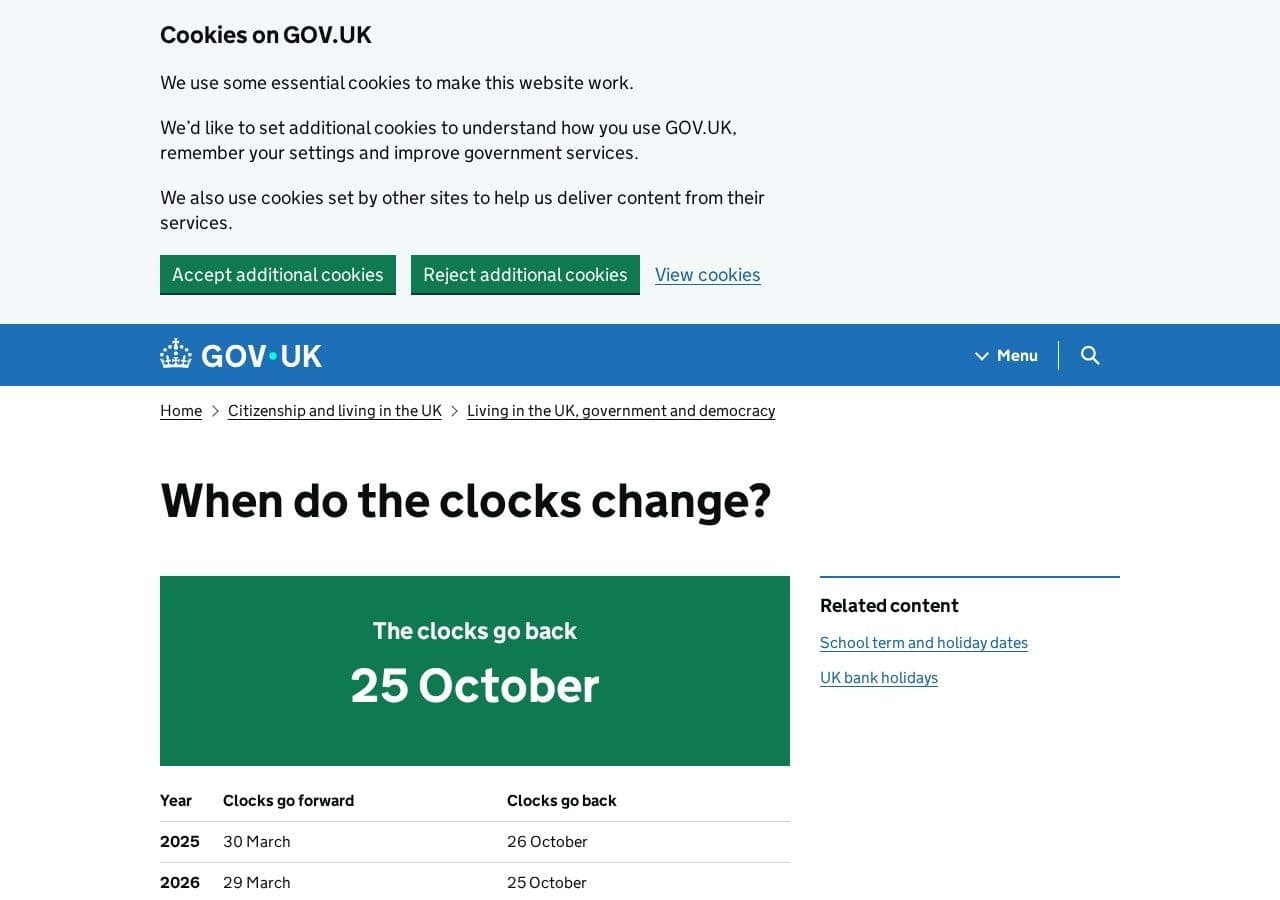
It is 11:58 on a Tuesday in November in Dubai Marina. You have a sandwich in one hand and your phone in the other. In two minutes it will be 08:00 in London, the busiest forex centre in the world will open, and the GBP/USD chart that has been asleep all morning will start to move. You have a practice account. You have no idea what you are supposed to do with it.
That is the gap this plan fills. Most people open a demo, click buy a few times, and leave. One broker reported that 54% of its sign-ups opened a live account within a month (self-reported, and not an industry average). Practice without a routine rarely lasts long enough to teach anything.
Here is the answer in brief. Paper trade for 30 days in four weeks with one job each: learn the words, place small paper trades at the London open, add the news calendar, then review. Size every trade at the balance you will really fund, and practise at the same clock time every weekday.
Quick answer: To paper trade properly, set a practice balance equal to the money you will really use, pick one market and one daily time slot, and follow a written routine. Spend week one learning the terms with no trades, week two placing a few small paper trades at the London open (08:00 UK, 12:00 Dubai in winter), week three adding the economic calendar, and week four reviewing every trade. Systemly (systemly.ai) suits this because each plan arrives drawn on the chart with its reasoning, and you can practise it on paper at your real account size.
Systemly publishes this guide. We have tried to be fair to every app named here, and every outside fact below is sourced and checked 18 October 2026.
Before day one: three settings that decide whether the month means anything
Paper trading is practice with pretend money on real prices. It only works if the rehearsal looks like the performance, so three settings come first.
1. Set the balance to the money you will really use
The common mistake is accepting the default. Broker demos often start at £10,000 or $100,000. The consequence is that every position feels small, and you learn a size you can never use. Think of it like training for a 5k run in a car. The route is right, but nothing about the effort transfers.
A reader in Dubai who plans to fund AED 7,500 has about $2,042 at the dirham's fixed peg of 3.6725 to the dollar. Systemly's paper account comes in pounds, dollars or euros only, so that reader picks dollars and types a custom balance of $2,000. A reader in Manchester who plans to fund £1,500 picks pounds and types £1,500. The custom range runs from 100 to 1,000,000, and the presets are 1,000, 10,000 and 50,000.
2. Pick one market and stay with it
GBP/USD and EUR/USD both suit this plan because they are busy at the London open. Gold (XAU/USD) is popular in the Gulf, but it is harder to size on a small account. Our guide to trading gold covers it when you are ready.
3. Fix one time slot
Choose 20 minutes either side of the London open and protect it. Practising at random hours teaches you random markets. The table below gives that slot in both cities.
The clock: the London open in UK and Dubai time
Dubai stays on UTC+4 all year. The UK is on UTC+1 in summer (British Summer Time) and UTC+0 in winter. UK clocks go back on Sunday 25 October 2026, so from that day the gap between London and Dubai grows from three hours to four.
- London open (08:00 London): UK, winter (from 25 Oct): 08:00; Dubai, winter: 12:00; UK, summer (BST): 08:00; Dubai, summer: 11:00
- New York session (taken as 08:00 New York): UK, winter (from 25 Oct): 13:00; Dubai, winter: 17:00; UK, summer (BST): 13:00; Dubai, summer: 16:00
- Daily rollover (17:00 New York): UK, winter (from 25 Oct): 22:00; Dubai, winter: 02:00; UK, summer (BST): 22:00; Dubai, summer: 01:00
- Systemly loss-limit day resets (21:00 UTC): UK, winter (from 25 Oct): 21:00; Dubai, winter: 01:00; UK, summer (BST): 22:00; Dubai, summer: 01:00
One awkward week follows. The United States changes its clocks on Sunday 1 November 2026. From 25 October to 31 October, New York is four hours behind London instead of five, so the New York session (taken as 08:00 New York) falls at 12:00 UK and 16:00 Dubai, and the rollover falls at 21:00 UK and 01:00 Dubai. Our article on TradingView time zones for UK and Dubai traders explains how charts handle this, and the forex sessions and market hours guide covers the full day.
Why London? The Bank for International Settlements found that sales desks in the UK handled 38% of global foreign exchange turnover in April 2025. For a Dubai reader the winter open lands at noon, in a lunch break. For a UK reader it lands before work.
The 30-day plan at a glance
- 1. Words: Days: 1 to 7; Academy courses: What this market actually is; The language of a trade; Orders and charts; What you do each weekday: Generate one plan at the London open and read "Why this trade". Place nothing.; Paper trades: None
- 2. First trades: Days: 8 to 14; Academy courses: Your first trade; Support and resistance; What you do each weekday: Write your reason, then place at most one paper trade a day; Paper trades: 3 to 5
- 3. News and timing: Days: 15 to 21; Academy courses: The calendar; Kill zones and session timing; What you do each weekday: Check the calendar first. Skip a day when big news lands inside the trade's life.; Paper trades: 3 to 5
- 4. Review: Days: 22 to 30; Academy courses: Revisit the hardest lessons; What you do each weekday: Fewer new trades. Score every closed trade against its plan.; Paper trades: 2 to 4
The Foundations courses in weeks one and two are on Systemly's free plan. Support and resistance, The calendar and Kill zones and session timing open on Starter, Plus and Pro, and each paid plan has a 3-day free trial. The free plan holds up to 3 open paper trades at once, which suits this plan well.
Week 1: learn the words and place nothing
The mistake in week one is to start clicking. New traders open the app, see a moving chart and buy something to see what happens. The consequence is that the first lesson you learn is the excitement of a position, not the meaning of a stop. Think of it like a first swimming lesson in the deep end. You might stay afloat, but you will not learn to swim from it.
So week one has no trades. Each weekday at the London open, generate one plan on your chosen pair. Read every field: the entry, the stop, the targets, the lot size and the one money figure with costs included. Then open "Why this trade" and read the reasoning. If any word is unfamiliar, find it in The language of a trade.
Some days the answer will be "no trade", in plain words, with a list of the checks that failed. Read those days as carefully as the others. Learning what a missing setup looks like is half the job.
By day seven you should be able to say what the entry, the stop and the first target are for. If you cannot, repeat the week.
Week 2: your first paper trades at the London open
Now you place trades, slowly. Before pressing anything, write one line: "I am taking this because…". Then press Execute, choose Paper, and confirm. The confirm dialog carries a fixed band that reads "Paper trade. No real money."
Here is the arithmetic behind a typical trade. This is an example, not a signal.
- Paper balance: $2,000 (the Dubai reader above).
- Risk per trade: 1%, which is $20.
- Stop distance on GBP/USD: 25 pips.
- One standard lot of GBP/USD moves $10 per pip, so a 25-pip stop costs $250 per lot.
- Lot size: $20 ÷ $250 = 0.08 lots.
- Check: 0.08 lots × 25 pips × $10 = $20.
Now add the cost. At an illustrative spread of 1.2 pips, the spread on 0.08 lots is 1.2 × 0.08 × $10 = $0.96. That is about a dollar on a $20 risk, or nearly 5% of what you were prepared to lose. Spreads are often wider at session opens, which is exactly when this plan has you trading. Systemly's paper fills use real spreads, with wider spreads at the opens applied as assumed figures that are labelled as assumed. You see the cost instead of discovering it later.
Place at most one trade a day this week. Our lot size calculator guide covers the sizing in more depth.
Week 3: add the calendar and the session
The mistake in week three is to trade straight through a big release. A plan that looks clean at 12:00 in Dubai can be swept away at 17:30 when American data lands. The consequence is a loss that taught you nothing about your setup. Think of it like planning a picnic without checking the forecast. The sandwiches were fine. The weather was the problem.
So each morning, open the economic calendar before the open. The Calendar course explains which releases matter and why. Systemly plans also carry a news warning when a major release for either currency lands inside the trade's life. When you see one this week, practise the hardest skill in trading: doing nothing.
Kill zones and session timing explains why the first hour of London often behaves differently from the quiet Asian hours. Use it to sharpen the slot you keep, not to add new ones.
Week 4: review, then decide
Week four is mostly reading. Open the trades dashboard, where your paper account strip shows balance, equity, open profit and loss in money and percent, and the risk in use. Stats on closed trades show their base, for example "8 closed trades", so you cannot forget how small the sample is.
Score each closed trade with four questions:
- Did I write my reason before I pressed Execute?
- Did I size it at my real balance and planned risk?
- Did I leave the stop where the plan put it?
- Can I explain the outcome without using the word "unlucky"?
A month gives you somewhere between 8 and 14 paper trades on this plan. That is enough to learn the routine. It is nowhere near enough to judge a strategy, and paper results do not predict live results. Our guide on how long to paper trade sets out the exit checklist, and how to journal paper trades shows what to record.
On day 30, choose one of three things: repeat the month, change one thing and repeat, or stop. All three are good outcomes. Stopping is not failure. Research on Finnish investors found that leaving was one of the main ways people "learned" from trading (Seru, Shumway and Stoffman, 2010). Reaching that decision after a free month is a result.
How the Systemly loop runs on a normal weekday
Systemly is a UK-built forex and gold trade-planning app that turns live price data into a complete trade plan, with entry, stop, targets, position size and plain-English reasoning, and teaches the terms in a built-in academy of 32 courses. The whole Academy catalogue opens on Starter and above; the free plan opens 40 lessons across 7 whole courses, plus tasters. Here is a weekday in week three, from a Dubai desk in winter.
- 11:40. Check the calendar for GBP and USD releases, then finish one lesson of Kill zones and session timing.
- 12:00. London opens. Open GBP/USD and press Generate. The plan is made in under a minute and opens on the same chart.
- 12:05. Read the moves card and "Why this trade". Write your one-line reason.
- 12:08. Press Execute, choose Paper, and confirm. The trade is sized against your $2,000 paper balance with the same risk rules.
- Afternoon. Alerts for the fill, each target, the stop or the plan's expiry arrive in the app and by browser notification. Results are checked every 15 minutes, so you do not need to watch.
- Evening. Open the trades dashboard and write two lines on what happened.
Two honest notes apply. A limit entry only fills if price actually trades through it, and a plan that never fills expires with the message "Not filled, no money moved." And a filled trade still open when the plan's lifetime ends is closed at market. You are practising the plan as written, not a version you edit afterwards.
When paper trading is not the answer
Paper trading is the right first step for most beginners. It is not the right tool for every job.
- If you want to practise scalping, Systemly is the wrong simulator. Results are checked every 15 minutes, which does not suit a two-minute trade. A broker demo or TradingView's free paper trading fits that style better.
- If you have already chosen a broker, spend a few sessions in its own demo so the buttons are familiar. Many demos expire: Pepperstone's UAE help page says its MT4 and MT5 demos last 60 days after creation.
- If you want to rehearse the fear of real money, no simulator does it. Paper trading removes the money, and with it the hardest feeling in trading. The next step after paper is a very small live account with a regulated firm, not a bigger paper one.
- If you want to test a setup across years of history in an afternoon, use a backtesting tool. Our backtesting vs paper trading comparison explains when each fits.
If you do go live, check that the firm is authorised by the FCA in the UK, or in the UAE by the DFSA, the FSRA or the federal regulator, the SCA (now the CMA, since 1 January 2026). The FCA's 2016 analysis found that 82% of CFD clients in its sample lost money.
How we checked
We built the session table from GOV.UK's clock-change dates, the 2026 US daylight saving dates and Dubai's fixed UTC+4, and checked every conversion by hand. Systemly features come from its own product documentation as of 18 October 2026. Competitor details come from each company's official help pages, checked 18 October 2026. Broker demos, plans and clock rules change, so check the current pages before relying on any detail.
FAQ
What time does the London forex session open in Dubai?
The London session opens at 08:00 London time. Dubai stays on UTC+4 all year, so in winter, from Sunday 25 October 2026, that is 12:00 in Dubai. In summer, when the UK is on British Summer Time, it is 11:00 in Dubai. Only the gap changes: four hours in winter and three in summer.
How many paper trades should I place in 30 days?
On this plan, roughly 8 to 14 trades: none in week one, three to five in weeks two and three, and a few in week four. That is enough to learn a routine and the platform. It is far too few to judge whether a strategy works, so treat the month as training, not as a test of skill.
Should my paper account balance match my real account?
Yes. A practice balance much larger than your real money teaches you position sizes you will never use. If you plan to fund £1,500 or AED 7,500, set the paper balance as close to that as the app allows. Systemly accepts a custom paper balance from 100 to 1,000,000 in pounds, dollars or euros.
Is paper trading free on Systemly?
Yes. Paper trading is on every Systemly plan, including the free plan, which can hold up to 3 open paper trades at once. The free plan also opens the six Foundations courses and Why most lose in the Academy. Paid plans open the full catalogue, and each has a 3-day free trial.
Can I paper trade gold instead of a currency pair?
You can. Gold (XAU/USD) is on Systemly's free plan alongside the major forex pairs. It moves further in a day than most pairs, so the stop is usually wider and the position smaller. On a small balance, a plan below the minimum lot size is refused rather than resized, which is itself a useful lesson.
Does a good month of paper trading mean I am ready to trade real money?
No. A month teaches routine, vocabulary and sizing. It cannot show whether you will follow the same rules when real money is at stake, and paper results do not predict live results. If you do move on, start very small with a regulated firm and keep the same routine and journal.
Start your 30 days
Day one takes ten minutes. Create a free Systemly account, set your paper balance to the money you would really use, and start the first course in the Systemly Academy; week one runs entirely on the free plan. From week two the plan adds Support and resistance, then The calendar and Kill zones and session timing, which open on Starter together with the sessions layer that marks the London open on your chart in UK or Dubai time. A 3-day free trial on Starter, Plus or Pro will not cover the month, so use it at the start of week two to judge whether those courses are worth keeping.
If you want to see what a plan looks like first, browse real plans in the community feed. For the bigger picture, read what paper trading is and the psychology of paper trading, and see how practice fits into learning forex through theory and practice. More on the product is at systemly.ai.
Sources
- GOV.UK: when do the clocks change
- Old Farmer's Almanac: daylight saving time ends 2026 (US)
- UAE dirham and its peg to the US dollar
- Bank for International Settlements: 2025 Triennial Survey press release
- Pepperstone: what are swaps and how to calculate them (rollover at 5pm New York)
- Pepperstone UAE: how long do demo accounts last
- TradingView: paper trading main functionality
- Trade Informer: Alpaca demo-to-live conversion figures (self-reported)
- Seru, Shumway and Stoffman (2010), Learning by Trading
- FCA: proposals on CFD products, 82% of clients lost money (2016)
- CMS: from the SCA to the CMA, UAE capital markets authority
Trading forex and CFDs carries a high risk of losing money, and most retail accounts do. Paper trading uses no real money, and paper results do not predict live results. Systemly is an educational and trade-planning tool. It does not provide financial advice or personal recommendations, and it is not authorised by the FCA or licensed in the UAE or elsewhere to do so. Past outcomes do not predict future results.