
A LuxAlgo alternative? Paid "AI" indicators vs a trade plan, and what you get for the subscription
 Systemly Team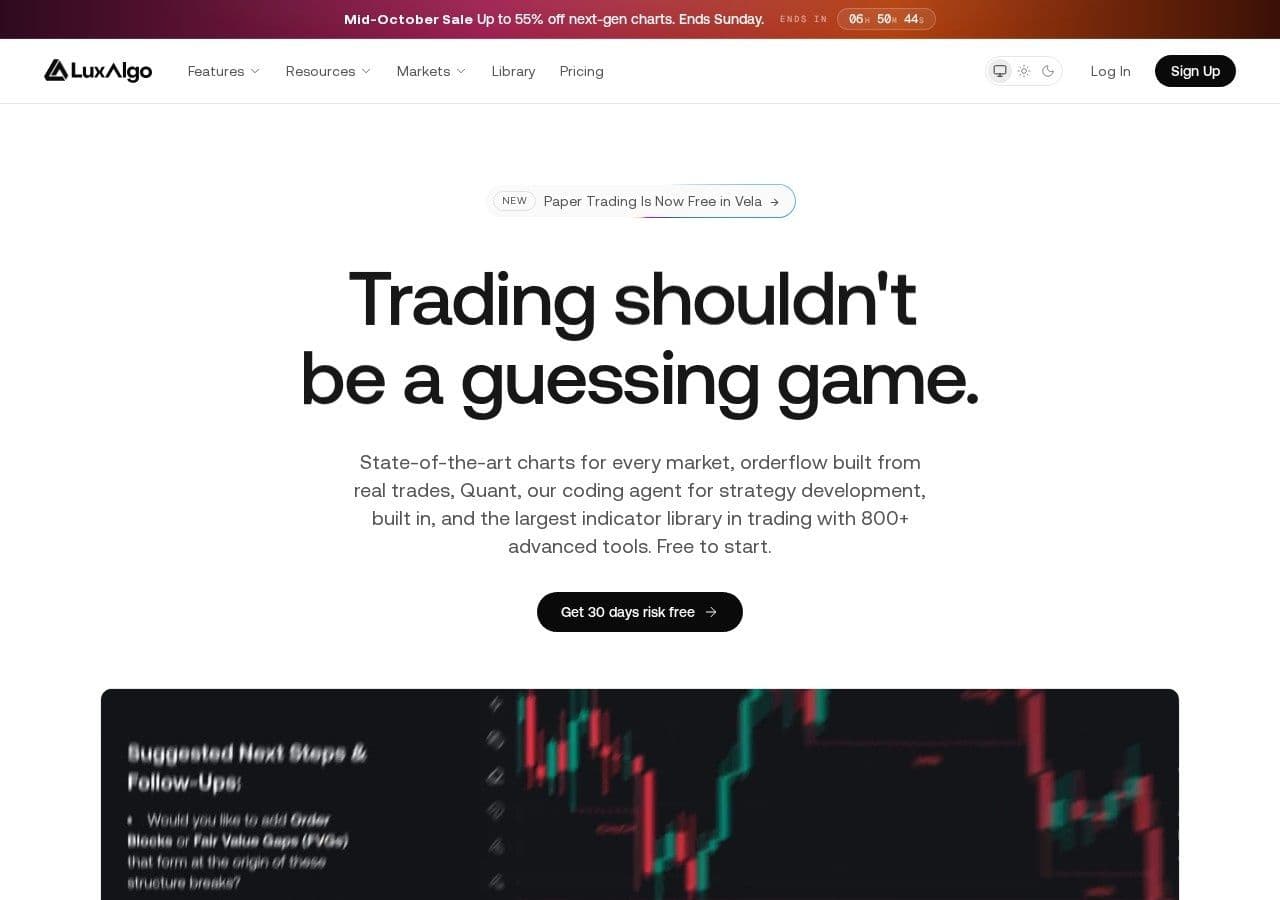
LuxAlgo's top plan, AI Ultra, costs $48.00 a month if you pay for a year up front. The small print on its pricing page says what happens next: the plan renews at $1,439.88 a year. That is exactly twelve times its monthly price.
Nothing is hidden there. It is printed, and LuxAlgo offers a 30-day money-back guarantee on the first payment. But one Trustpilot reviewer, writing on 17 September 2026, gave this advice to anyone thinking of relying on it: "careful, dont fall for the 30day money back gaurantee, once paid forget about it."
Many new traders go looking for paid indicators, and "best tradingview indicators buy sell signals" is one of the searches Google suggests on the way. This article asks a plain question. What do you actually get for the subscription, and what is still missing between a "buy" label on a chart and a trade you can place?
Quick answer: LuxAlgo is best for traders who already know how to size and manage a trade and want a large set of well-made TradingView indicators, a browser charting platform (Vela) and an AI coding agent (Quant) to build and test their own strategies. Paid plans run from $24.99 to $119.99 a month, before any tax. An indicator signal tells you something happened on the chart. It does not give you a position size for your account, the cost at the stop, an honest "no trade" or a record of how the idea went. Systemly does those things for forex and gold, and is a narrower tool.
Systemly publishes this comparison. We have tried to be fair, and every competitor fact below is sourced and dated 13 October 2026.
What is LuxAlgo?
LuxAlgo is a seller of indicator toolkits for TradingView, including Signals & Overlays, Price Action Concepts and Oscillator Matrix, according to QuantVPS (a review site with a commercial interest). It also runs Vela, a browser charting platform, and Quant, which its pricing page calls "our coding agent, built into Vela", used to build indicators and strategies and to automate them. Quant usage is measured in monthly credits, from 500 on the free plan to 100,000 on AI Ultra.
LuxAlgo is careful about what it claims. Its pricing page says "Past performance does not guarantee future results", warns that simulated trading programs "are designed with the benefit of hindsight", and states that LuxAlgo "does not execute trades and does not provide personalized investment advice." That is the right language, and better than much of the indicator market.
What is Systemly?
Systemly (systemly.ai) is a UK-built forex and gold trade-planning app that turns live price data into a complete trade plan, with entry, stop, targets, position size and plain-English reasoning, and teaches the terms in a built-in academy of 32 courses.
It is not an indicator. You pick a market, press Generate, and in under a minute the plan opens on a live chart: entry, stop and targets drawn on it, a numbered list of moves, a countdown to the next decision and one money figure with costs included. Fixed rules check the AI's work. The AI reads live price data rather than a picture of the chart, a difference we explain in AI chart analysis: data vs picture, and the code owns the trade.
What LuxAlgo costs in pounds and dirhams
LuxAlgo prices in US dollars. These are the figures on its pricing page on 13 October 2026.
- Free: Monthly: $0; Annual, per month: $0; Annual, first payment: $0; Annual renewal: $0
- Essential: Monthly: $24.99; Annual, per month: $17.49; Annual, first payment: $209.92; Annual renewal: $299.88
- Premium: Monthly: $39.99; Annual, per month: $25.99; Annual, first payment: $311.92; Annual renewal: $479.88
- Ultimate: Monthly: $59.99; Annual, per month: $32.99; Annual, first payment: $395.93; Annual renewal: $719.88
- AI Ultra: Monthly: $119.99; Annual, per month: $48.00; Annual, first payment: $575.95; Annual renewal: $1,439.88
LuxAlgo's flagship toolkits start from Premium. Notice the renewal column. On every paid plan the annual renewal equals twelve monthly payments, so the annual discount appears to apply to the first year only.
Most LuxAlgo toolkits run on TradingView, so you need a TradingView account too. TradingView's free Basic plan allows 2 indicators per chart and Essential allows 5, according to TradingView's pricing page. TradingView adds VAT: 20% in the UK and 5% in the UAE, according to its tax help page.
Here is a worked first year on LuxAlgo Premium (annual) plus TradingView Essential (annual, $155.40 before tax). We assume GBP/USD at 1.34 for illustration and use the dirham's fixed peg of AED 3.6725 to the dollar. We could not confirm whether LuxAlgo adds VAT at checkout, so its price is shown before any tax.
- UK: TradingView Essential with 20% VAT is $155.40 × 1.20 = $186.48. Add LuxAlgo Premium's $311.92 and the first year is $498.40, about £371.94.
- UK, second year: LuxAlgo renews at $479.88, so the total is $479.88 + $186.48 = $666.36, about £497.28.
- UAE: TradingView Essential with 5% VAT is $155.40 × 1.05 = $163.17. Add $311.92 and the first year is $475.09, about AED 1,744.77.
That is a meaningful sum against a small account. On a £1,500 account, the UK second-year cost is about a third of the balance before a single trade is placed.
What a "buy" label leaves out
The common mistake with paid indicators is to treat a signal as a trade. The consequence is that the trader supplies everything else by instinct: the stop, the size, the exit, and whether to take the signal at all. Much of the damage is done in those parts, not in the arrow. Our guide to what makes a forex signal good sets out the parts that matter.
Think of it like a smoke alarm. It tells you something has happened, often reliably. It does not tell you whether to leave the building, which exit to use, or whether it is just the toast.
Here is a generic illustration of the fields in an indicator signal next to the fields in a Systemly plan. Neither is a real trade.
- Direction: Indicator signal on a chart: A buy or sell label on a candle; Systemly plan: Buy, sell or "no trade"
- Entry: Indicator signal on a chart: The candle where the label printed; Systemly plan: An entry, which may be a wait-for-close or limit, with an entry window
- Stop: Indicator signal on a chart: Depends on the toolkit and settings; often yours to choose; Systemly plan: A stop, with a floor under its width set by the server
- Targets: Indicator signal on a chart: Depends on settings; Systemly plan: A target ladder, with what to do at each ("close half and move your stop loss to your entry")
- Size for your account: Indicator signal on a chart: Not provided; Systemly plan: Lot size printed on the card
- Cost at the stop: Indicator signal on a chart: Not provided; Systemly plan: One money figure, trading cost included
- When to stand aside: Indicator signal on a chart: When no label prints; Systemly plan: "No trade", with the failed checks listed
- News: Indicator signal on a chart: Not provided; Systemly plan: A news warning if a major release falls inside the trade's life
- Afterwards: Indicator signal on a chart: Not tracked for you; Systemly plan: Every plan tracked; losses logged
A worked example: a gold signal, sized
Say a buy label prints on XAU/USD and you decide the idea is wrong $6 below your entry. Your account is £1,500 and you risk 1% per trade. Assume GBP/USD at 1.34 for illustration, and assume 100 ounces per standard lot, which is common but not universal, so check your broker's gold contract size.
- £1,500 is $2,010 at that rate. One per cent risk is $20.10.
- A $6 move on 1.00 lot (100 ounces) is $600.
- The size that fits is $20.10 ÷ $600 = 0.0335 lots, which rounds down to 0.03.
- The real risk at the stop is 0.03 × $600 = $18.00, about £13.43, or 0.9% of the account, before the spread.
Now imagine the same trader, encouraged by a toolkit that has just paid for itself on paper, trading 0.20 lots. The loss at a $6 stop is $120, about £90, or 6% of the account on one signal. The indicator was not wrong. The size was.
Systemly prints the lot size for your balance and shows the money figure with costs included. It never shows odds on gold, because it shows odds only where they were measured. For any trade from any source, the free Risk Doctor check tests the size before you place it, and our guide to position sizing, the part signals leave out goes further.
Repainting and the hindsight problem
QuantVPS reports that some users have found LuxAlgo indicators repainting and backtests behaving inconsistently. We have not tested this ourselves. Repainting can affect any indicator that recalculates past bars, so it is not a LuxAlgo speciality.
The common mistake is to judge an indicator by how good its past signals look on the chart. The consequence, if an indicator repaints, is that those past signals were drawn using information that was not available at the time, so live results disappoint. Think of it like marking a quiz after you have seen the answers. The score looks wonderful and means very little.
LuxAlgo's own disclaimer makes the same point about simulated results "designed with the benefit of hindsight". The fix is simple: judge any tool by signals recorded at the moment they fired, including the losers, as our guide to forex signal win rates explains. Systemly tracks every plan after it is sent, and since 6 October 2026 a limit, stop or wait-for-close entry settles nothing until price actually fills it. A "no trade" never counts in any performance figure.
What changes on TradingView on 1 November 2026
TradingView is tightening its rules for paid scripts, and anyone buying indicators should know the dates.
- From 14 August 2026, newly published scripts need moderator approval before they appear in feeds or search, according to TradingView.
- From 1 November 2026, selling access to invite-only scripts outside the TradingView Marketplace "will no longer be permitted", and vendors who keep selling off-platform "will have their invite-only scripts blocked". Buyers who paid before 1 November keep access "for the period already purchased, including lifetime access", according to TradingView's announcement of 30 September 2026.
- TradingView's buyer guidance says "we recommend that you do your own research before using any invite-only scripts".
We do not know how any individual vendor, LuxAlgo included, will respond to the 1 November change. If you buy access to scripts on TradingView from anyone, ask the seller in writing how your access works after 1 November. Our article on TradingView signals and invite-only scripts has a full checklist.
1 November is also the day the US clocks go back. From then, US data at 08:30 New York lands at 13:30 UK and 17:30 Dubai, and the London and New York overlap runs 13:00 to 17:00 UK and 17:00 to 21:00 Dubai. In the week before (25 to 31 October), US data lands at 12:30 UK and 16:30 Dubai. An indicator signal that fires around those moments meets wider spreads, because spreads widen around releases such as NFP and FOMC. Systemly shows sessions in your own time zone and warns when a major release falls inside the trade's life.
What users say about LuxAlgo
LuxAlgo scores 4.4 from 1,703 reviews on Trustpilot (snapshot, 13 October 2026), which is a good score in this market. The negative reviews cluster around billing. Besides the quote above, a reviewer wrote on 30 September 2026: "Confirmed eligible for refund, then ignored and charged again". QuantVPS also notes that scammers have impersonated LuxAlgo support on Discord, so only deal with the company through its official channels.
QuantVPS adds that "Beginners may find the tools overwhelming". That matches a wider problem. A moderator on r/RealDayTrading described the first symptom of analysis paralysis as "the constant hunt for new indicators", and an InvestingLive education piece warns that adding RSI, MACD, Stochastics and other oscillators "does not give you five independent pieces of information." Our piece on analysis paralysis and too many indicators covers the cure.
The comparison at a glance
- What it is: LuxAlgo: Indicator toolkits, a charting platform (Vela) and an AI coding agent (Quant); Systemly: Trade-planning app
- Free plan: LuxAlgo: Yes, with 500 Quant credits; Systemly: Yes
- Paid plans: LuxAlgo: $24.99 to $119.99 a month; annual renews at 12 × monthly; Systemly: Starter, Plus and Pro, each with a 3-day free trial
- Build your own indicators and strategies: LuxAlgo: Yes, strong; Systemly: No
- Markets: LuxAlgo: Anything on TradingView or Vela; Systemly: Free and Starter: seven major forex pairs and gold. Plus and Pro add silver, oil, indices, major stocks and Bitcoin
- Stop, targets and what to do at each: LuxAlgo: Depends on toolkit and settings; Systemly: Yes, as numbered moves
- Size for your account and cost at the stop: LuxAlgo: Not offered in what we read; Systemly: Yes
- "No trade" with reasons: LuxAlgo: Not offered in what we read; Systemly: Yes
- Record of every call, including losses: LuxAlgo: Not provided for you; Systemly: Yes
- Works with TradingView: LuxAlgo: Yes, natively; Systemly: Plan export to TradingView as Pine Script (Starter and above)
Where LuxAlgo is the better choice
LuxAlgo is the better choice if you build your own systems. Quant lets you describe an indicator or strategy and have it coded and tested, which Systemly does not do at all. If you trade stocks, crypto or futures as well as forex, LuxAlgo works on anything you can chart, while Systemly's free plan covers the major pairs and gold. And if you already size your trades, keep a journal and treat signals as one input among several, a good indicator toolkit can save you real time. Its 4.4 Trustpilot score suggests many customers are happy.
Where Systemly is the better choice
Systemly is the better choice if you are a newer forex or gold trader and the hard part is not spotting a setup but turning it into a trade: how much, where to get out, what to do at the first target, and when to do nothing. On every plan, including free, you can practise a plan as a paper trade before you risk money. Its chart layers (swings, sessions, fair value gaps and inverse gaps) are drawn automatically on Starter and above, so you do not need to buy indicators to mark them. If you like TradingView, keep it: Starter and above can export a Systemly plan to TradingView as a Pine Script that draws the trade with a table quoting the same stop and money. For gold specifically, see our piece on the best TradingView indicators for gold, and for broker-bundled tools, our Autochartist and Trading Central comparison.
How we compared
We read LuxAlgo's pricing page and Trustpilot page, a QuantVPS review updated on 10 October 2026, and TradingView's announcements on script publishing and the Marketplace, all on 13 October 2026. We did not subscribe to LuxAlgo or test its indicators for repainting. We compared LuxAlgo with Systemly's product notes as of 8 October 2026. Currency conversions use GBP/USD at 1.34 for illustration and the fixed dirham peg. Prices change, so check LuxAlgo's site before you buy.
FAQ
How much does LuxAlgo cost?
On 13 October 2026 LuxAlgo listed a free plan and four paid plans: Essential $24.99, Premium $39.99, Ultimate $59.99 and AI Ultra $119.99 a month. Paying annually lowers the first year to between $17.49 and $48.00 a month, but each plan renews at twelve times its monthly price. You also need a TradingView account for most toolkits.
Is LuxAlgo worth it for beginners?
It depends on what the beginner lacks. LuxAlgo gives good tools for reading charts, but a review site notes that "Beginners may find the tools overwhelming". Many beginners struggle more with size, stops and exits than with spotting setups. If those are your gaps, learn them first, or use a tool that sizes the trade for you.
Does LuxAlgo give stop-loss and take-profit levels?
That depends on the toolkit and its settings. What LuxAlgo does not provide is a position size for your account, the cost of the trade at the stop in money, or a record of how each signal turned out. LuxAlgo's own page says it "does not execute trades and does not provide personalized investment advice."
What is LuxAlgo Quant?
Quant is LuxAlgo's AI coding agent, built into its Vela charting platform. It is used to build indicators and strategies and to automate them, and its use is measured in monthly credits, from 500 on the free plan to 100,000 on AI Ultra. LuxAlgo warns that simulated results "are designed with the benefit of hindsight".
What happens to TradingView invite-only scripts on 1 November 2026?
From 1 November 2026 TradingView will no longer permit selling access to invite-only scripts outside its Marketplace, and vendors who continue will have those scripts blocked. Buyers who paid before then keep access for the period already purchased. We do not know how individual vendors will respond, so ask your seller.
What is a good LuxAlgo alternative for forex and gold?
If you want more indicators, TradingView's own library is large: its community has published more than 150,000 scripts, half of them open-source. If what you want is the trade itself, sized and costed, Systemly gives a plan on a live chart for the major forex pairs and gold, with an honest "no trade" and a tracked record. Many traders use a charting tool and a planning tool together.
Does Systemly sell indicators?
No. Systemly draws chart layers automatically (swings, sessions, fair value gaps and inverse gaps) on Starter and above, and builds a full trade plan when you press Generate. It is not an indicator marketplace and does not publish win rates.
Swap the hunt for indicators for a plan
Open gold or a major pair on Systemly and see a plan drawn on the chart, or browse real plans in the community scans feed. The Systemly Academy teaches fair value gaps, sessions and position sizing in lessons you have to pass.
Sources
- LuxAlgo pricing, plans, Quant and disclaimers
- LuxAlgo on Trustpilot (snapshot)
- LuxAlgo review, QuantVPS, updated 10 October 2026 (commercial interest)
- TradingView pricing and plan limits
- TradingView Pine Script documentation (community script count)
- TradingView VAT help page
- TradingView: commercial scripts move to Marketplace, 30 September 2026
- TradingView: updated script publishing, from 14 August 2026
- TradingView: invite-only scripts buyer guidance
- r/RealDayTrading analysis paralysis post (mirror)
- InvestingLive, why too many indicators can make trading harder, 1 October 2026
- ForTraders: XAU/USD on TradingView, spreads around NFP and FOMC (Spanish)
- UAE dirham peg
- UK VAT rates
- BabyPips forex trading sessions
- US clock changes 2026
- Dubai time zone
Trading forex and CFDs carries a high risk of losing money, and most retail accounts do. Systemly is an educational and trade-planning tool. It does not provide financial advice or personal recommendations, and it is not authorised by the FCA or licensed in the UAE to do so. Past outcomes do not predict future results.